Twenty exercises.
In four acts, from a first circuit to the Bell inequality, each ending on something your own code produced.
20 hands-on Qiskit exercises
One command tells you what’s wrong, in quantum terms.
You edit a file, you run one command, and it tells you exactly what is wrong in the language of the problem rather than as a Python traceback. The course ends at the Bell inequality that no shared coin can reach.
uv tool install quantum-exercises
Python 3.10 to 3.14 · No IBM account needed · Free, MIT License
exercise.py
from qiskit import QuantumCircuit

# TODO: add two gates so that qc prepares (|00> + |11>) / sqrt(2).
#       Put one qubit into superposition, then tie the second to it with a
#       controlled gate. On a definite value that gate copies. On a superposition
#       there is no value to copy, and it entangles instead.
#       Do not add measurements; the runner adds them itself.
qc = QuantumCircuit(2)


# TODO: which counts bitstring means "qubit 0 was measured as 1, qubit 1 as 0"?
#       Remember which end of the string qubit 0 lives at.
label_q0_only = None


# TODO: which outcomes can an ideal Bell state never produce?
#       Give a set of strings, for example {"00", "11"}.
impossible_outcomes = Noneexercise.py
from qiskit import QuantumCircuit

qc = QuantumCircuit(2)
qc.h(0)
qc.cx(0, 1)

# Little-endian: qubit 0 is the rightmost character.
label_q0_only = "01"

# The two qubits always agree, so the disagreeing outcomes never occur.
impossible_outcomes = {"01", "10"}Nearly every quantum tutorial was written for Qiskit 0.x, and none of it runs any more. Beginners hit an ImportError on line 3 and conclude they are not smart enough. They were reading instructions for software that no longer exists.
In four acts, from a first circuit to the Bell inequality, each ending on something your own code produced.
No traceback into library code: the runner knows which concept you tripped over, so it explains the concept.
Every exercise runs on a local simulator. Real IBM hardware is optional.
On Python 3.10 to 3.14, with every reference solution re-run and every notebook cell executed.
On the 1st and the 15th, against the Qiskit that ships that day.
The exercises
You need basic Python and no quantum background. Act I takes well under an hour; the whole course is an afternoon or two, depending on how much you stop to poke at things.
Act I
Prove the toolchain is real, and learn the one attribute worth printing when a tutorial misbehaves.
Measurement results are a plain dict. Write the three helpers you will reuse all course.
Build a one-qubit circuit and see the matrix it represents.
Forget the measurement and Qiskit hands you nothing, without raising an error. Meet that trap on purpose.
A V2 result has no get_counts(). Learn the three-step path that replaces it.
Act II
Predict the probabilities before running anything, checked against 4096 real shots.
Prepare two target states, and find out why the runner compares with equiv rather than ==.
Build a controlled-Z out of nothing but Hadamards and a CNOT.
Two Hadamards undo each other, which no coin can do. This is where the power comes from.
Turn that cancellation into the first algorithm that provably beats every classical one.
The state that started the argument, plus which character of the bitstring is qubit 0.
Act III
Every qubit doubles the memory. Find the size where a laptop stops being able to check your answer.
Migrate real 0.x code to 2.x. This is the skill that unblocks every old tutorial you will ever find.
Transpile to the backend’s instruction set and run, on a QPU if you have one.
Hardware gives outcomes the theory forbids. Quantify that instead of assuming your circuit is broken.
Measure how the device misreads, invert it, and win back most of the gap. Error mitigation, by hand.
Act IV
Expectation values instead of shots, computed two ways and shown to agree.
Hardware reads one axis. Measuring any other means rotating the state first.
Three expectation values put the qubit on a sphere, where global phase visibly stops mattering.
Correlate along different axes and reach S = 2.83, past the 2 that any pre-agreed answer is stuck below.
How answers are checked
Not by comparing your code to the solution. An answer that is right for reasons the author did not anticipate still passes, and an answer that only looks right does not.
Compared with Statevector.equiv, which ignores global phase, because no experiment can detect it.
Compared with Operator.equiv, for the same reason.
Never for exact equality: sampling is random. Proportions are held to the binomial standard error, sqrt(p(1-p)/N), at 4 sigma, and whole distributions to a chi-square test.
Your file runs in a separate process with a time limit, so an infinite loop or a crash costs one run, not your terminal session.
Real hardware
Exercise 14 is the only one that reaches out to IBM, and it asks before it sends anything. Answering no changes nothing and costs nothing.
Say yes and qx waits up to three hours, what a real queue can take. Ctrl-C stops the waiting, not the job: its result stays in your IBM Quantum account. Nothing automated, not CI, a script or watch mode, ever reaches a QPU.
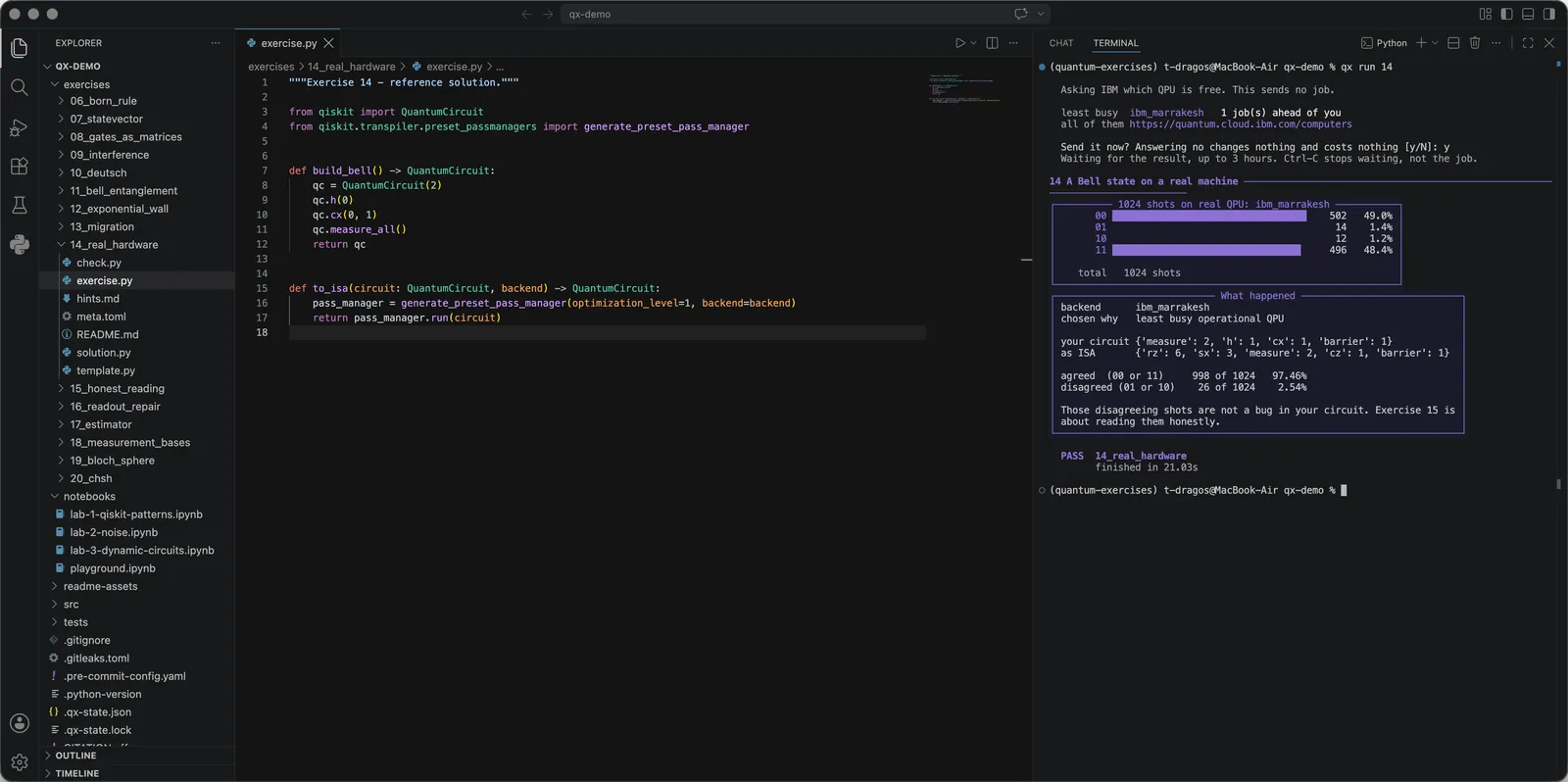
ibm_marrakesh: 1,024 shots, 49.0% 00 and 48.4% 11. The 2.54% that disagree are noise, and exercise 15 is about measuring it honestly.Where you work
The exercise on one side, the verdict on the other. Four notebooks sit beside the exercises, ungraded and meant to be poked at, and every cell of every one runs in CI.
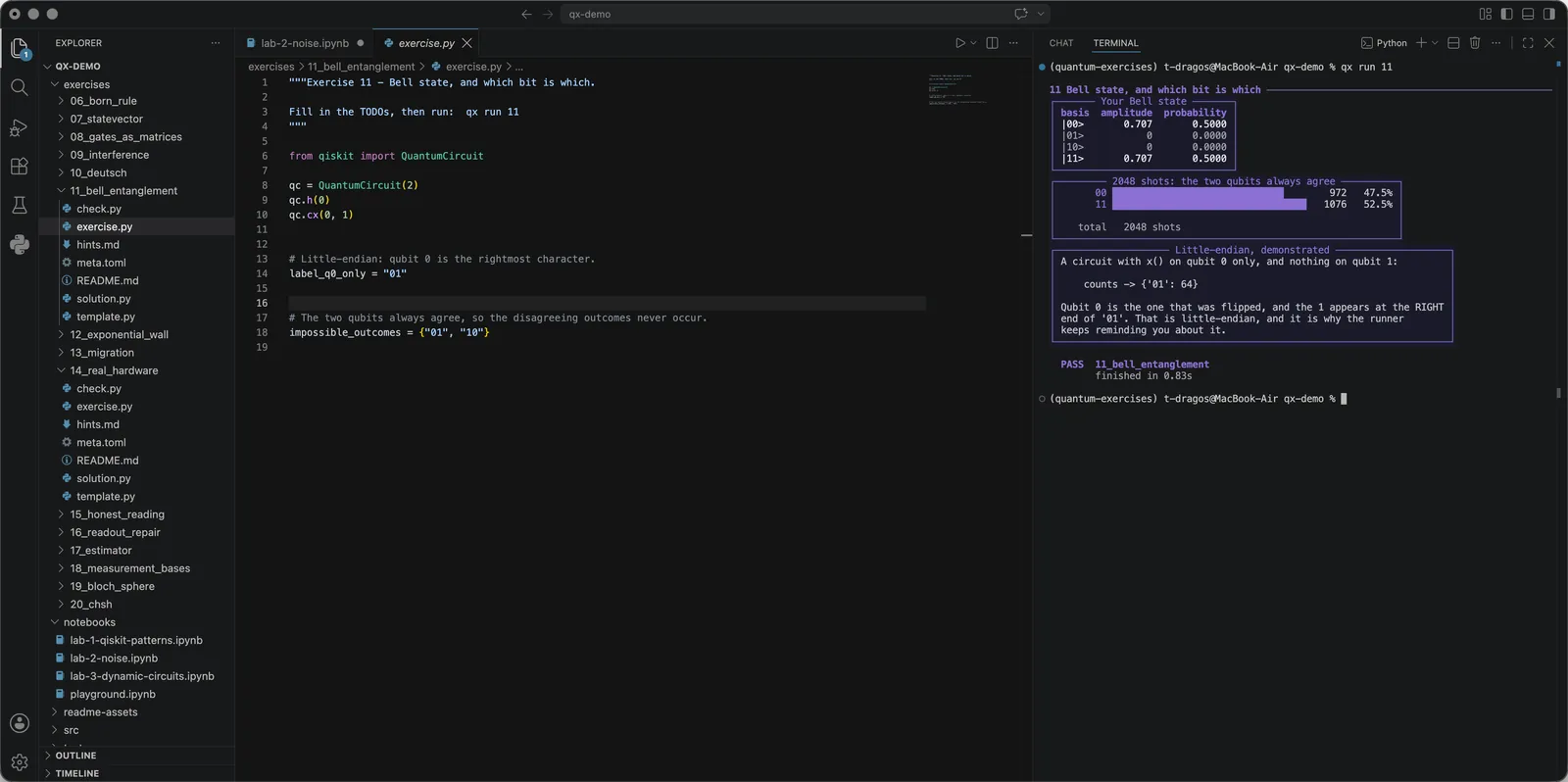
qx init needs no editor setup: qx is on your PATH, so any terminal in the folder runs it.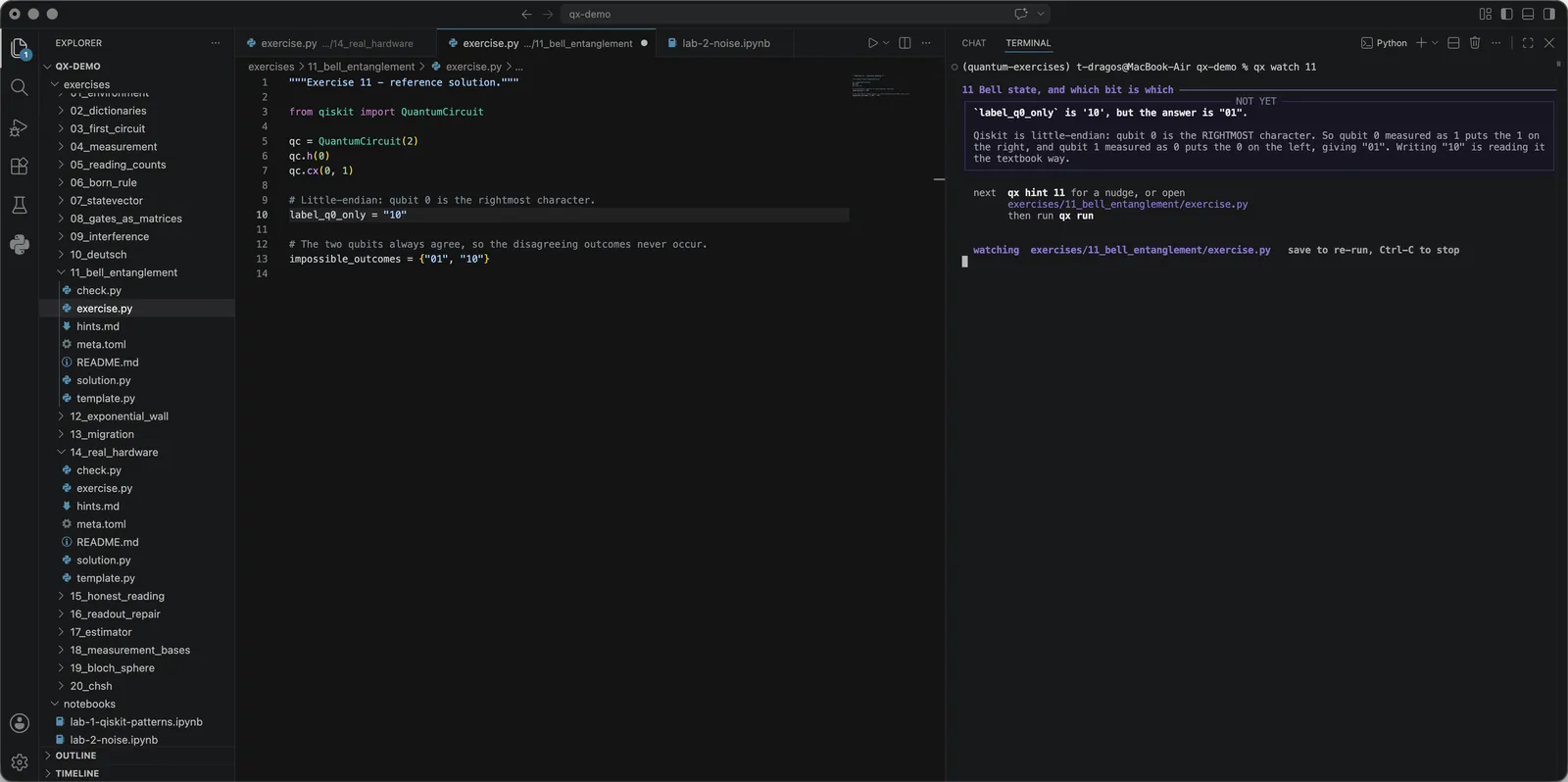
qx watch re-runs on every save, and moves on to the next exercise by itself when one passes.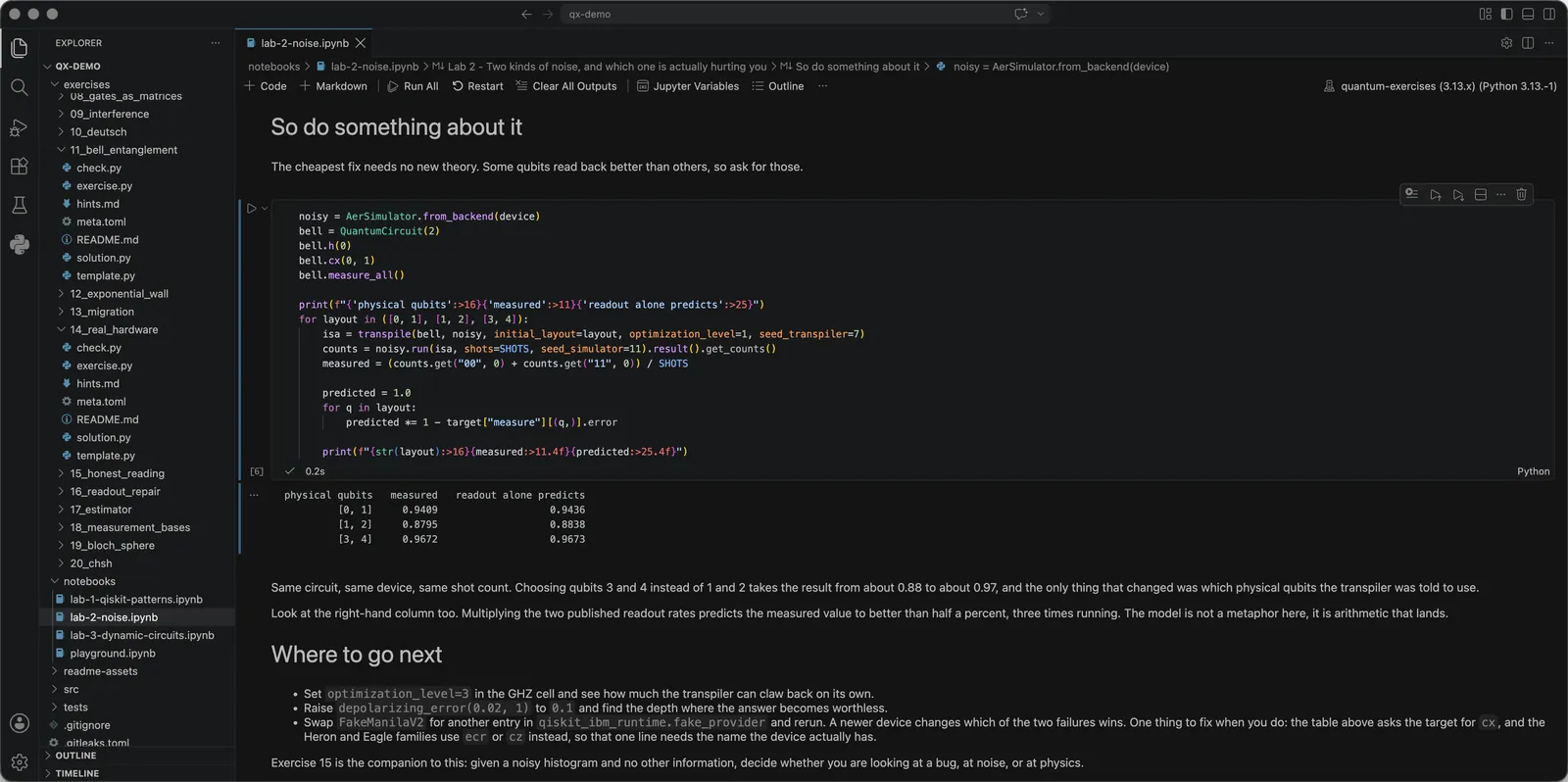
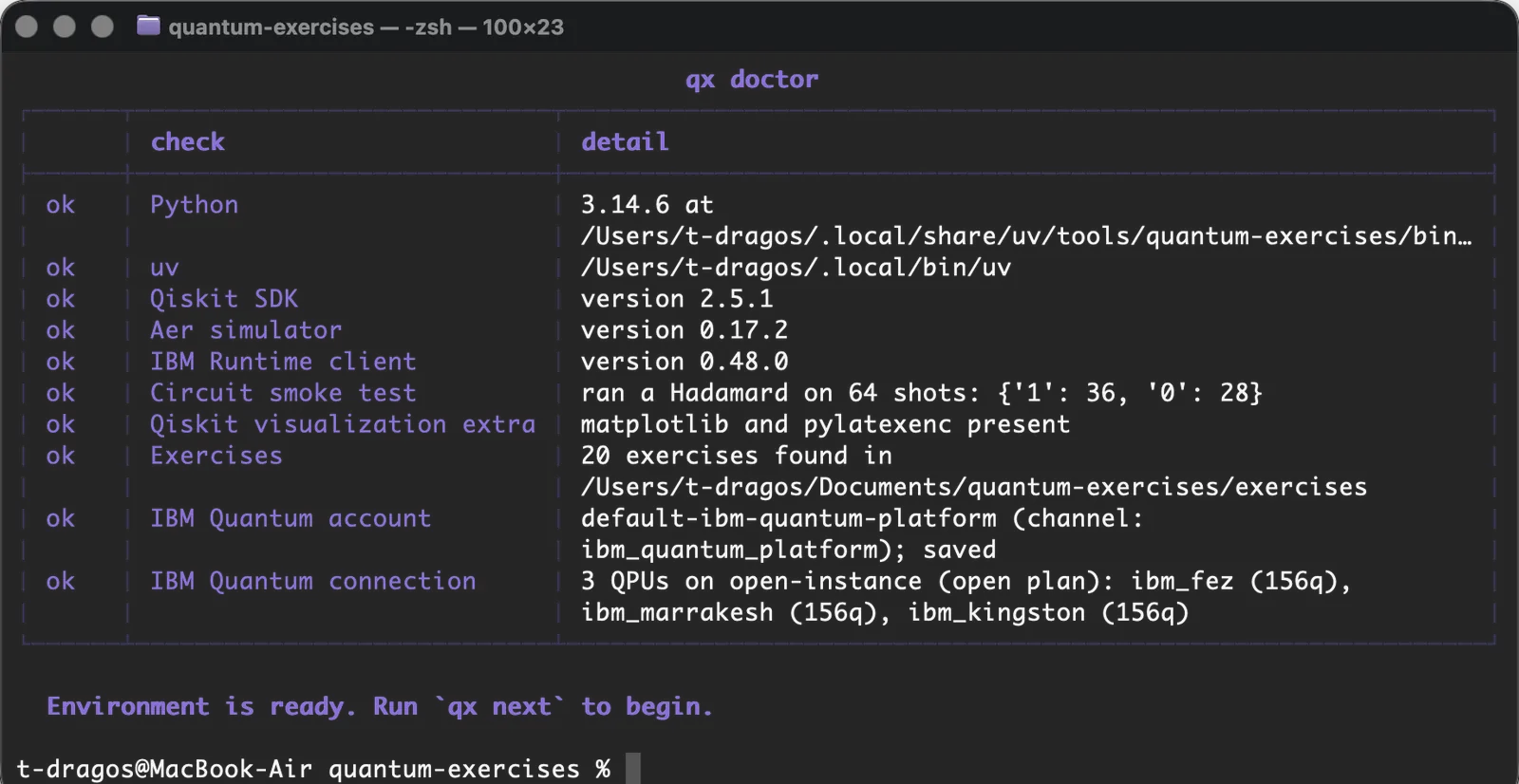
--online asks IBM anything; plain qx doctor never touches the network.| Notebook | What it is for |
|---|---|
playground | Scratch space. Change numbers, see what moves. |
lab-1-qiskit-patterns | The four steps of any program that touches real hardware: map, optimize, execute, post-process. |
lab-2-noise | Readout error against gate error, measured on a real device’s published rates. |
lab-3-dynamic-circuits | Measuring partway through and branching on the result, ending in teleportation. |
Install
uv is the only thing you install. It fetches the right Python itself, so you don’t need Python first.
On macOS and Linux:
curl -LsSf https://astral.sh/uv/install.sh | sh On Windows, in PowerShell:
powershell -ExecutionPolicy ByPass -c "irm https://astral.sh/uv/install.ps1 | iex" It puts qx on your PATH. The first run downloads Qiskit and its scientific stack, so give it a minute.
uv tool install quantum-exercisesThen cd quantum-exercises. Running it again never overwrites your answers.
qx initIt never touches the network, and names the fix for anything wrong.
qx doctorIt prints the first unfinished exercise: the lesson to read, and the file to edit.
qx next| Command | What it does |
|---|---|
qx init [dir] | Copy the exercises somewhere you can edit them |
qx init --refresh | Update the lesson files of a course you already have |
qx doctor | Check the environment, step by step |
qx list | Every exercise and your progress |
qx next | The next thing to work on |
qx run [n] | Check an exercise |
qx watch [n] | Re-check automatically every time you save |
qx hint [n] | Reveal one more hint |
qx solution [n] | Show the answer, recorded as solved rather than done |
qx reset [n] | Restore an exercise to its starting state |
qx version | Versions of the tool and the quantum stack |
Tested
Every reference solution is re-run on the 1st and the 15th of every month, and if a new Qiskit release breaks an exercise, the verify badge turns red.
On Python 3.10, 3.11, 3.12, 3.13 and 3.14, with coverage held at 100%.
Ubuntu, macOS and Windows, on the 1st of every month.
On the 1st and the 15th, a fresh resolution of every dependency, and a probe of the next major version.
Qiskit 2.5.2, qiskit-ibm-runtime 0.50.0 and qiskit-aer 0.17.2, pinned in uv.lock.
Twenty free, hands-on exercises for learning Qiskit, IBM’s quantum computing SDK. You edit a file, run one command, and it tells you what is wrong in the language of the problem rather than as a Python traceback. The course goes from an empty laptop to a circuit on real IBM hardware, and then to the Bell inequality.
No. You need basic Python: variables, functions, and dictionaries. No quantum background, and no linear algebra beyond multiplying a small matrix by a vector. Where a matrix shows up, the runner prints it.
No. Every exercise runs on a local simulator without one. Only exercise 14 reaches for real hardware, and it asks before it sends anything; without an account it runs on a simulator with a noise model copied from a real device.
Act I takes well under an hour. The whole course is an afternoon or two, depending on how much you stop to poke at things.
Qiskit 2. It is tested against Qiskit 2.5.2, qiskit-ibm-runtime 0.50.0 and qiskit-aer 0.17.2, and verified on the 1st and the 15th of every month against the Qiskit that ships that day.
Most were written for Qiskit 0.x. execute() was removed, Aer moved to its own package, IBMQ became something else entirely, and the shape of results changed. Exercise 13 teaches the migration, so every old tutorial becomes usable again.
No. Nothing automated reaches a QPU: a script, a CI job, an editor task and watch mode all stay on the local simulator. qx run 14 shows the least busy QPU and asks before sending, and answering no costs nothing.
Yes. quantum-exercises is free and open source under the MIT License.
Free and open source, under the MIT License.
uv tool install quantum-exercises